
Models
Logical models, upstream redirects, metadata, and pricing.
Logical models
Clients request a logical model name. Monoize resolves that name against your Providers and Channels. The name your clients see never has to match an upstream vendor name.
One logical model can map to several Channels across several Providers. This gives you failover and load splitting without client changes.
Redirects
A Channel model entry can set redirect to the real upstream model name.
Example: clients call my-fast-model. Channel A redirects it to gpt-4o-mini. Channel B redirects it to claude-3-5-haiku-20241022. Billing and the request-log model always use the logical name.
The admin log shows the upstream response model only when it differs from the request-log model. The comparison ignores ASCII case.
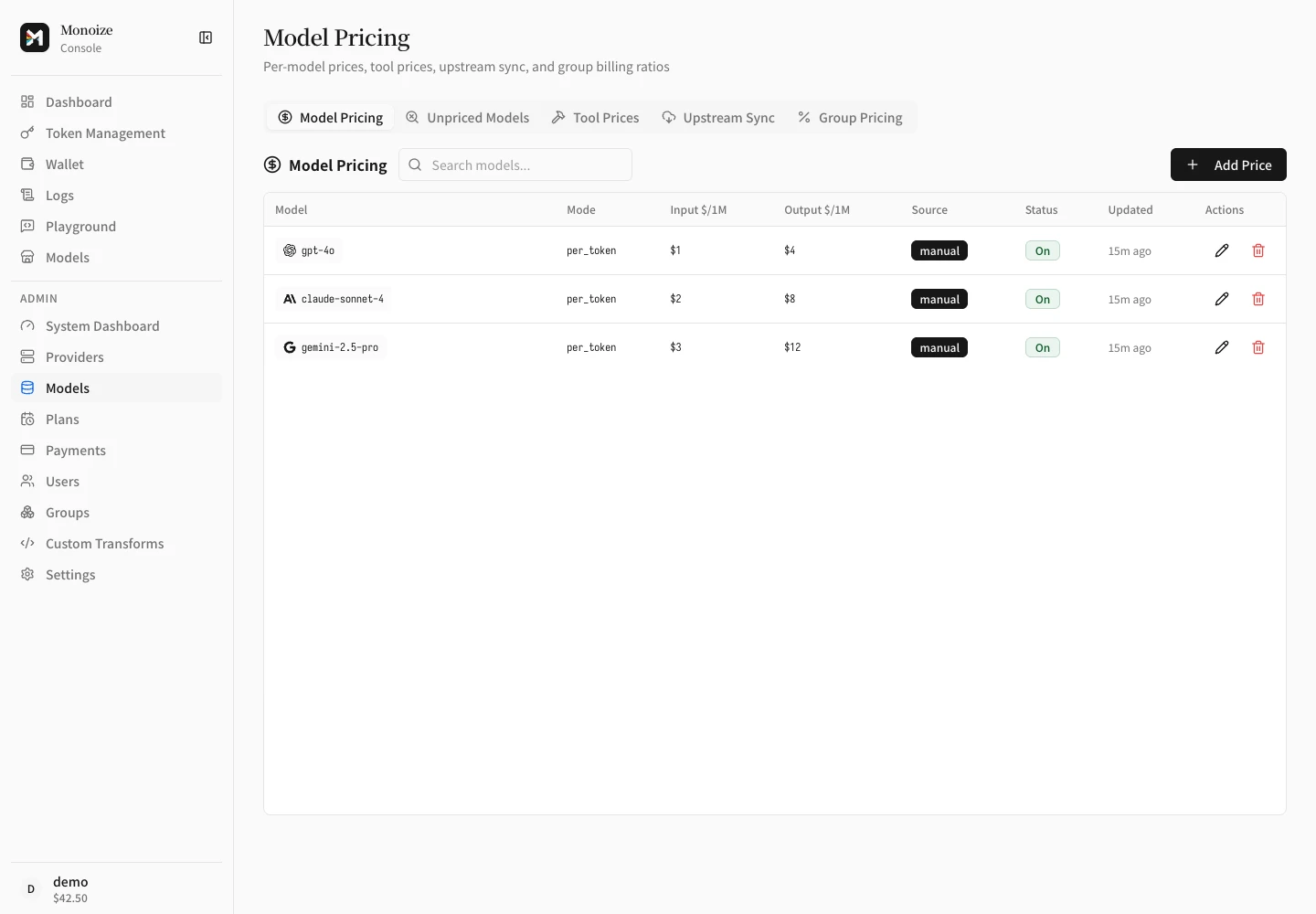
Model pricing
The Models page is the pricing console. It has five tabs:
- Model Pricing: one price row per model. Each row sets a billing mode:
per_token,per_request, ortiered_expr.tiered_exprcan store context-window price steps and a Fast / Priority table. Monoize applies Fast prices when the upstream responseservice_tierisfastorpriority. It also applies Fast prices when Anthropicusage.speedisfast. - Unpriced Models: mapped models that have no enabled price row.
- Tool Prices: prices for server-side tool classes. Units are
1k_calls,minute, andsession. - Upstream Sync: price import from Models.dev, OpenRouter, or a new-api instance.
- Group Pricing: one billing ratio per group.
Monoize computes each charge in this order:
- Compute the base charge from the model's price row and the recorded usage.
- Multiply by the group's
billing_ratio. - Multiply by the Channel model entry's
multiplier. - Truncate to a whole number of nano-dollars.
A Channel multiplier of 0 makes requests on that Channel free.
Monoize resolves the redirected upstream model first. It falls back to the logical model only for a redirect without an upstream price.
Before each price lookup, Monoize strips at most one recognized suffix from the model ID. Recognized suffixes are reasoning-effort suffixes and -openai-compact. Price the base model. Do not add a separate row for {model}-openai-compact.
Monoize multiplies the base charge by the Channel model multiplier and the routed group's billing_ratio. It records the final charge in nano-USD.
By default, Monoize rejects an unpriced model or a response without required Usage. Set the global free-settlement flags or a Provider override only when zero settlement is acceptable.
Price sync
- Open Models → Upstream Sync.
- Select a source: Models.dev, OpenRouter, or a new-api instance.
- Click Preview. The table shows new rows and changed fields.
- Click Apply. Monoize writes the changes and records an audit row.
Models.dev sync writes context-window price steps and Fast mode prices into billing_expr.
Sync does not change a locked field. Sync does not delete rows that you created manually.
Automatic sync is enabled by default. Monoize starts one cycle at process startup and then runs every 24 hours. Each cycle syncs Models.dev first. It then uses OpenRouter to add models that Models.dev does not provide. Disable Automatic price sync to stop future cycles.
Model listing
GET /v1/models returns the logical models available to the calling API key. The result reflects key model restrictions and group membership.
Model globs
Transform rules and some restrictions accept model glob patterns:
*matches any sequence of characters, including an empty one.?matches exactly one character.- Matching is case-sensitive and anchored to the full model name.
Example: gpt-4* matches gpt-4o and gpt-4o-mini. It does not match o4-mini.