
Providers and Channels
Define upstream routes with ordered Providers and weighted Channels.
Concepts
- A Provider is a routing group. It defines routing order, retry budgets, health policy, and an ordered transform chain.
- A Channel is one upstream endpoint inside a Provider. It holds the upstream type, base URL, credential, model mapping, weight, and timeout.
A request first selects a Provider, then selects a Channel inside it. See Routing and Reliability for the selection rules.
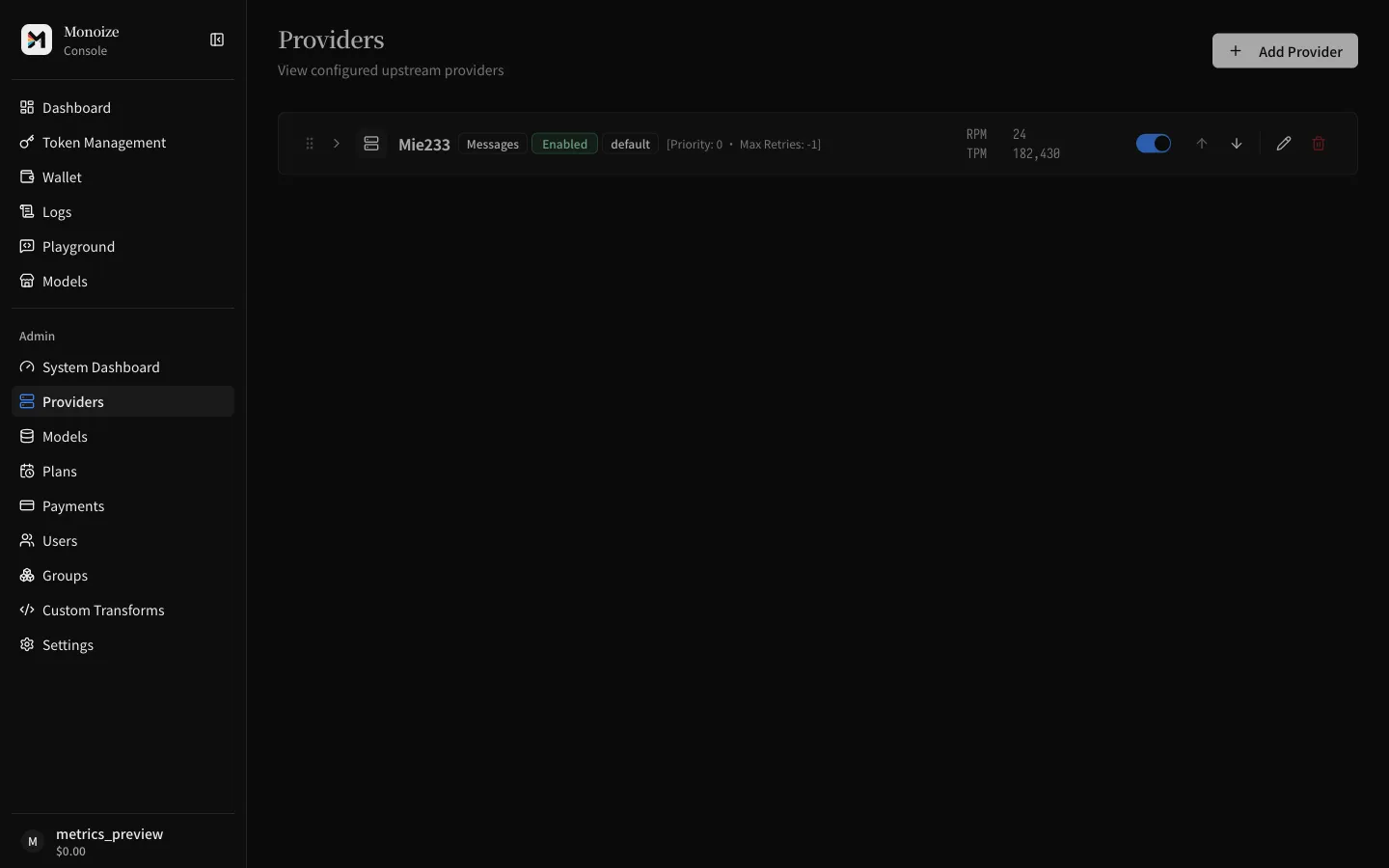
Live usage
Each Provider row shows RPM and TPM for the last 60 seconds. The visible page refreshes every 10 seconds.
RPM counts persisted requests across all users and terminal statuses. TPM sums input and output tokens without counting cached or reasoning tokens again.
In-flight requests and retry-chain entries do not count. An empty window shows 0; unavailable metrics show —.
The screenshot uses local example traffic.
Create a Provider
- Open Providers in the sidebar.
- Click the create button and enter a name.
- Set the retry options when the defaults do not fit:
max_retries: total retry budget across the Provider.-1means unlimited within the route.channel_max_retries: retries inside one Channel before moving on. Default0.channel_retry_interval_ms: wait time between in-Channel retries. Default0.
- Keep
circuit_breaker_enabledon unless you have a reason to disable it.
Add a Channel
- Open the Provider and click Add Channel.
- Select the upstream type:
responses,chat_completion,messages,gemini,openai_image,openrouter_image,replicate,system_one, oropenai_decisions. - Enter the upstream base URL and API key.
- Set a weight. Traffic splits between eligible Channels in proportion to weight. Default
1. - Optional: set a per-Channel
proxy_urlto override the process-level upstream proxy.
When you edit a Channel later, leave the API key field empty to keep the stored key.
Decision models
Use system_one or openai_decisions Channels for decision models. These Channels serve only /v1/systemone and /v1/decisions. See API Endpoints.
| Upstream | Type | Base URL |
|---|---|---|
| TypeSafe Jev | system_one | https://api.typesafe.ai |
| OpenRouter | system_one | https://openrouter.ai/api |
| OpenAI | openai_decisions | https://api.openai.com |
Channel tests send one non-streaming decision request with one yes/no question. The test can incur upstream charges.
OpenRouter images
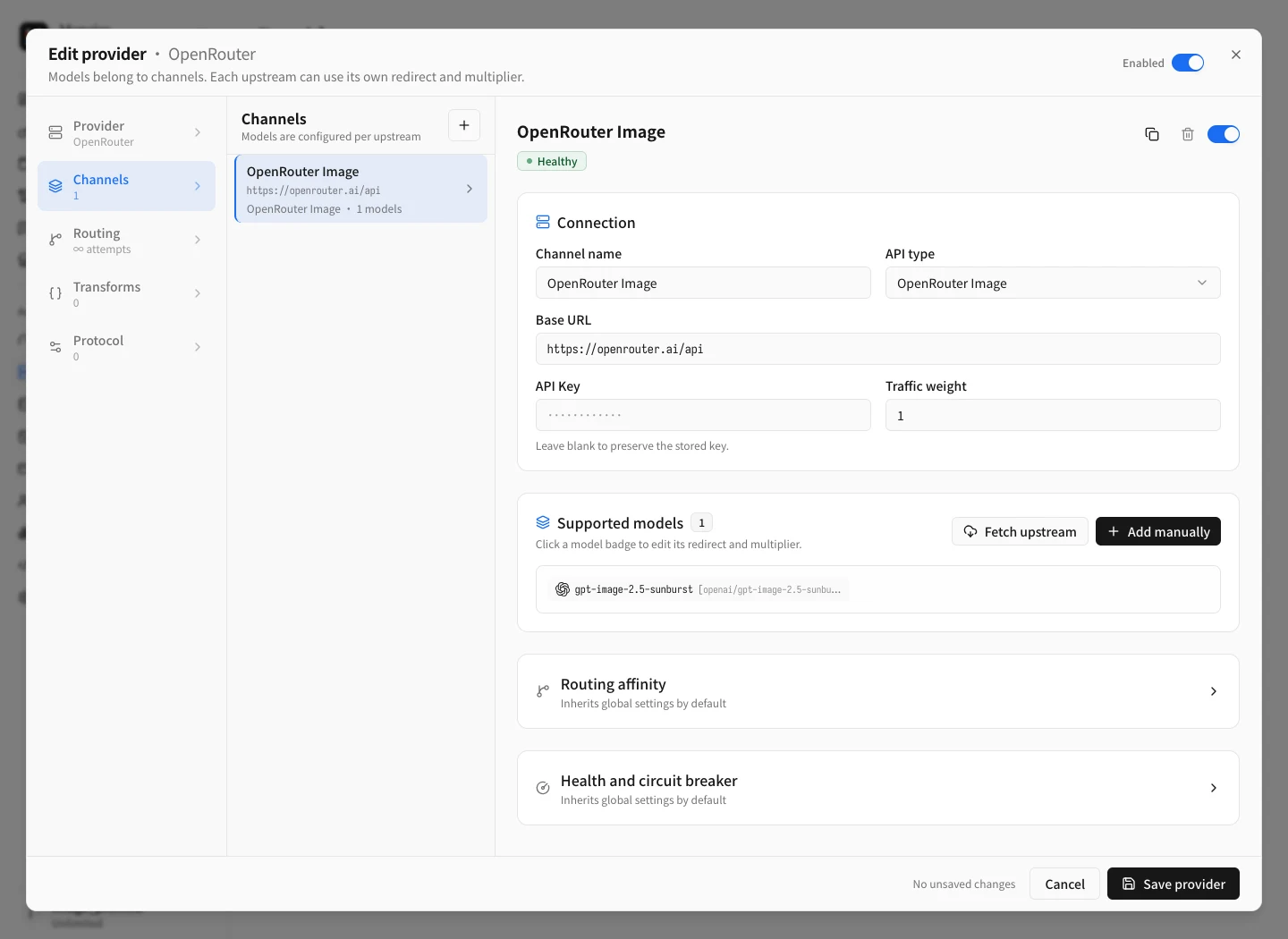
Select OpenRouter Image (openrouter_image) for OpenRouter image models.
Set the base URL to https://openrouter.ai/api.
Map the logical model to its upstream slug, such as openai/gpt-image-2.5-sunburst.
Generation and editing both use the upstream /api/v1/images endpoint.
Monoize converts source images to JSON input_references.
The downstream endpoints remain /v1/images/generations and /v1/images/edits.
Image masks and file-ID references are not supported by this Channel type.
Fetch models uses OpenRouter's image model catalog. Channel tests send one non-streaming image generation request and can incur upstream charges. Forwarded requests support streaming when the selected model supports it. For streaming Image API edits, Monoize uses a non-streaming OpenRouter request and keeps downstream SSE active. It sends heartbeat comments while waiting, then emits the completed image.
Session cache headers
Set Auto session affinity on a Channel to send a stable session identifier on every proxied request.
When this setting is null, Monoize enables it for these Base URLs:
- Cloudflare Workers AI:
https://api.cloudflare.com/client/v4/accounts/{account_id}/ai(optional/v1) - OpenCode Zen or OpenCode Go:
https://opencode.ai/zenand paths under it
When it is enabled, Monoize sends both headers with the same value:
x-session-affinityx-opencode-session
The value comes from, in this order: a Channel extra header of either name, a client header (session_id, session-id, x-session-id, x-opencode-session, or x-session-affinity), a conversation id in the body, prompt_cache_key, then a hash of the conversation head.
OpenCode Go uses x-opencode-session to bind prompt cache to one session. A request without this header can fail.
A Channel liveness probe to OpenCode Zen or OpenCode Go sends the literal value mono-probe when the Channel extra headers do not already set these names.
Upstream WebSocket
Set Upstream WebSocket in Connection, immediately after API type. Do not put this control under Routing affinity. The values are:
null(Unknown): a Responses WebSocket client tries Upgrade first. Handshake failure uses HTTP SSE on the same attempt. A successful or failed handshake may store the result only when the stored value is stillnull.true(Supported): prefer Upgrade. Handshake failure still uses HTTP SSE. The stored value does not change.false(Not supported): never Upgrade.
Click Detect WebSocket to probe GET {base}/v1/responses. The result writes the draft field. Save the Provider to persist it. HTTP POST clients, health probes, and Channel liveness tests stay on HTTP.
Test a Channel
Open the Channel and run Sequential test or Concurrent test.
The test sends a short streaming completion with a 16-token output cap. HTTP 2xx is not enough. The stream must reach a protocol terminal event.
For a Responses Channel, response.completed is a pass. response.incomplete without an error object is also a pass. A reasoning model can hit the 16-token cap and return incomplete. That result still means the Channel is reachable.
Map models
Each Channel lists the logical models it serves. A model entry has:
redirect: the real upstream model name. Leave empty to send the logical name unchanged.multiplier: a non-negative decimal price multiplier for billing.0makes requests on this Channel free.
A logical model routes to a Provider only when at least one enabled Channel inside it maps that model.
Remote compact
Fetch models classifies the Channel compact scheme from the upstream model list.
openai_compact_sibling: the list contains both a base ID and{base}-openai-compact. Keep those sibling IDs in the Channel model map. Compact requests rewrite the wire model to the sibling.same_model: the list has no such pair. Compact requests send the conversation model unchanged.
Do not invent compact sibling IDs that the upstream list does not return.
Set billing overrides
Set Allow free when unpriced and Allow free when usage is missing on the Provider. Each setting can inherit the global value, force on, or force off.
Missing tool prices always fail open. Monoize records the unpriced tool class and applies a zero tool charge for that class.
Provider transforms
A Provider can hold an ordered list of transform rules. They run on every request that the Provider serves, after Provider selection and before upstream encoding. See Transforms.
Groups
Every Provider belongs to at least one group. API keys route only to Providers whose groups intersect the key's groups. Use groups to separate user tiers or environments.